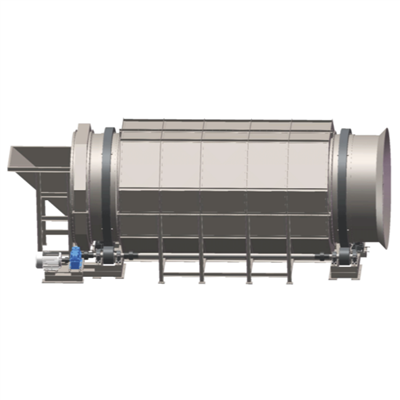
Hey there! As a supplier of paper pulp equipment, I've seen my fair share of issues with these machines. Whether you're running a small operation or a large-scale paper mill, equipment breakdowns can be a real pain in the neck. They can lead to production delays, increased costs, and a whole lot of frustration. But don't worry! In this blog post, I'm going to share some tips on how to troubleshoot paper pulp equipment quickly and get your production back on track.
First Things First: Safety First
Before you even think about troubleshooting any equipment, make sure you're taking the necessary safety precautions. Paper pulp equipment can be dangerous, especially when it's not working properly. Always wear appropriate safety gear, such as gloves, goggles, and hard hats. Make sure the equipment is turned off and unplugged before you start working on it. And if you're not sure how to do something safely, don't hesitate to ask for help.
Know Your Equipment
One of the most important things you can do when troubleshooting paper pulp equipment is to know your equipment inside and out. Familiarize yourself with the different parts of the machine, how they work together, and what their functions are. This will help you identify problems more quickly and accurately.
For example, if you're having issues with a Medium Consistency Refiner, you should know how it's supposed to operate. A medium consistency refiner is used to refine pulp at a medium consistency, typically between 8% and 15%. If you notice that the refiner is not producing the desired results, such as a low quality of pulp or a decrease in production speed, you can start by checking the refiner plates, the consistency of the pulp, and the flow rate.
Check the Basics
When you're troubleshooting paper pulp equipment, it's always a good idea to start with the basics. Check for loose connections, damaged wires, and other obvious signs of wear and tear. Make sure all the parts are properly installed and tightened. Sometimes, a simple loose bolt or a disconnected wire can cause a big problem.
For instance, if you're using a Paper Tearing Machine and it suddenly stops working, the first thing you should do is check the power supply. Make sure the machine is plugged in and that the circuit breaker hasn't tripped. If the power supply is fine, then you can move on to checking other components, such as the blades, the conveyor belt, and the motor.
Monitor the Performance
Regularly monitoring the performance of your paper pulp equipment is crucial for early detection of problems. Keep track of important parameters, such as temperature, pressure, flow rate, and production output. Any significant changes in these parameters could indicate a problem with the equipment.
Let's say you're using a Stainless Steel Reaction Vessel to mix and react chemicals in the paper pulp process. If you notice that the temperature inside the vessel is rising rapidly or that the pressure is increasing beyond the normal range, it could be a sign of a chemical reaction that's out of control or a blockage in the system. In this case, you should immediately stop the process and investigate the cause.
Use Diagnostic Tools
In addition to monitoring the performance of your equipment, you can also use diagnostic tools to help you troubleshoot problems. There are many different types of diagnostic tools available, such as multimeters, pressure gauges, and thermal imaging cameras. These tools can help you identify electrical problems, pressure issues, and overheating components.
For example, if you suspect that there's an electrical problem with your paper pulp equipment, you can use a multimeter to test the voltage, current, and resistance of the electrical components. This can help you determine if there's a short circuit, an open circuit, or a faulty component.
Follow the Manufacturer's Guidelines
The manufacturer's guidelines and manuals are a valuable resource when it comes to troubleshooting paper pulp equipment. They provide detailed information on how to operate the equipment, how to perform maintenance tasks, and how to troubleshoot common problems. Make sure you read and follow these guidelines carefully.
If you're having a problem with a specific piece of equipment and you're not sure how to fix it, the first thing you should do is refer to the manufacturer's manual. It may have a troubleshooting section that provides step-by-step instructions on how to diagnose and fix the problem. If you still can't solve the problem after following the manual, you can contact the manufacturer's technical support team for further assistance.
Train Your Staff
Proper training of your staff is essential for effective troubleshooting of paper pulp equipment. Make sure your employees are familiar with the equipment they're using, how to operate it safely, and how to identify and report problems. Provide them with regular training sessions to keep their skills up to date.
When your staff is well-trained, they can quickly recognize when something is wrong with the equipment and take the appropriate action. They can also perform basic troubleshooting tasks, such as checking the power supply and tightening loose bolts, which can save you time and money in the long run.
Keep Spare Parts on Hand
Having a stock of spare parts on hand can significantly reduce the downtime of your paper pulp equipment. When a component fails, you can quickly replace it with a spare part and get the equipment back up and running. Make sure you keep a list of the most common spare parts for your equipment and order them in advance.


For example, if you know that the blades on your paper tearing machine wear out quickly, you should keep a few extra blades in stock. This way, when a blade breaks or becomes dull, you can replace it immediately without having to wait for a new one to be delivered.
Build a Relationship with Your Supplier
As a paper pulp equipment supplier, I can tell you that building a good relationship with your supplier is crucial. A reliable supplier can provide you with high-quality equipment, technical support, and spare parts when you need them. They can also offer valuable advice on troubleshooting and maintenance.
If you're having problems with your paper pulp equipment, don't hesitate to reach out to your supplier. We're here to help you solve your problems and keep your production running smoothly. We have a team of experienced technicians who can provide you with on-site support or remote assistance.
Conclusion
Troubleshooting paper pulp equipment quickly is essential for minimizing downtime and maximizing production efficiency. By following these tips, you can identify and solve problems with your equipment more effectively. Remember to always prioritize safety, know your equipment, check the basics, monitor performance, use diagnostic tools, follow the manufacturer's guidelines, train your staff, keep spare parts on hand, and build a good relationship with your supplier.
If you're in the market for high-quality paper pulp equipment or need help with troubleshooting your existing equipment, feel free to contact us. We're here to provide you with the best solutions for your paper pulp production needs. Let's work together to keep your business running smoothly!
References
- Industry best practices for paper pulp equipment maintenance and troubleshooting.
- Manufacturer's manuals and technical documentation for paper pulp equipment.